Stale Connections After Network Recovery Kept Railway Down
Railway's 2 July outage outlived its network fault because storage connections stayed pinned and mesh tunnels held a wrong address. What to audit in your stack.
Quick Answer
Railway's 2 July 2026 outage outlived its network fault because connections and tunnels kept the state they had learned during about twenty minutes of instability. Storage traffic stayed pinned to a slow management network, and some 20,000 mesh tunnels held a wrong peer address. Recovery of the route did not repair either, so the fix was to terminate and re-establish them, not to wait.
Stale connections after network recovery are the part of an outage that dashboards describe worst. The carrier is back, the routes look right and the health checks pass, yet users still see slow storage and failed private networking.
Railway's incident report is unusually specific about how that happened, which makes it a good specimen for the mechanics. We stay with those mechanics here and leave the wider failure class to our analysis of stuck state at Railway and CircleCI.
This post walks through the three mechanisms, explains why established connections never re-check their route, lists where the same trap hides in an ordinary stack, and defines what recovered should mean after a network event.
Railway's Outage Outlived Its Network Fault by Hours
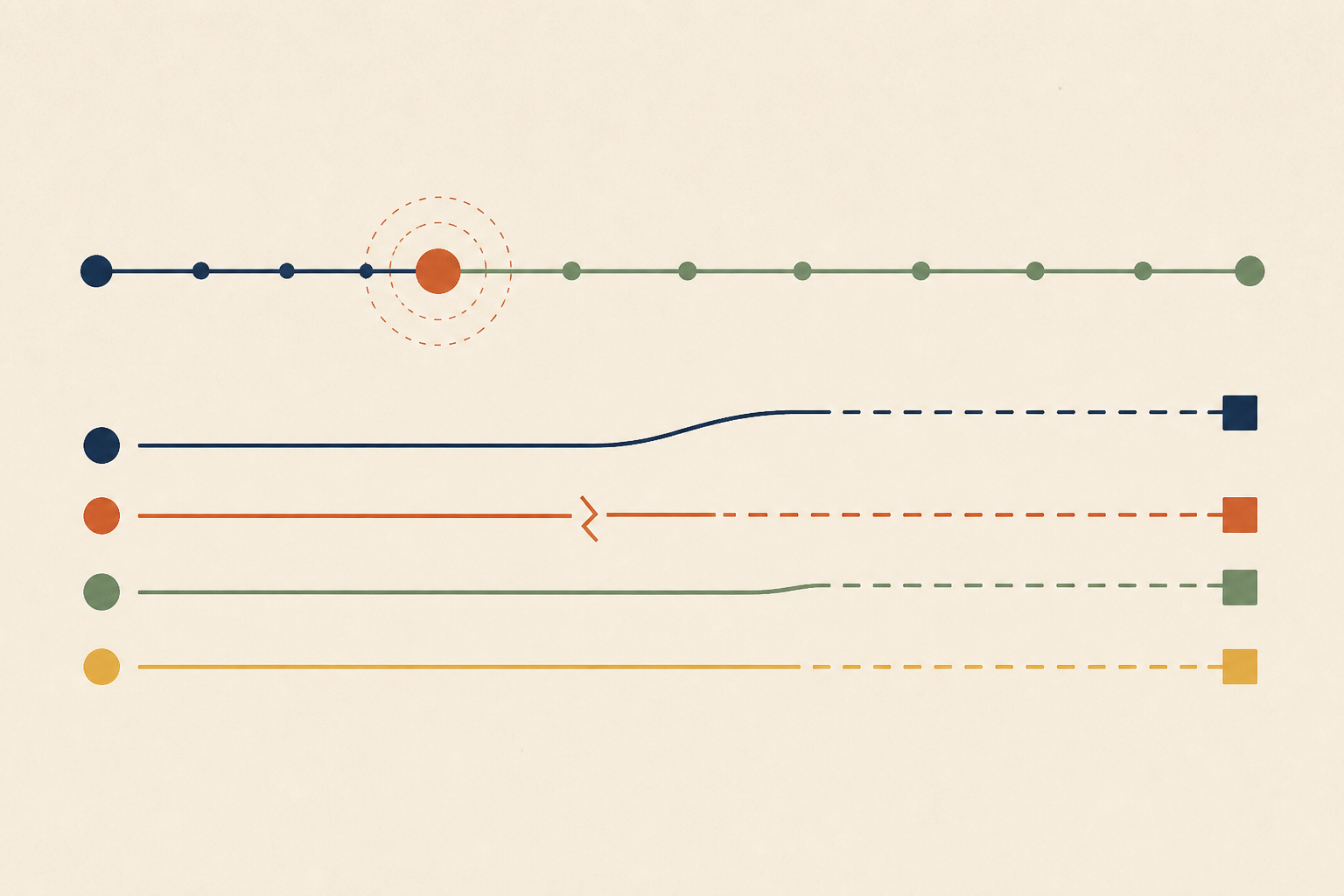
The incident report starts at 07:44 UTC with packet loss in the US East region, traced to an upstream carrier. Railway disconnected from the degraded carrier at its borders and rerouted traffic through others, which gave partial recovery.
At 08:39 it disconnected from a secondary carrier at the affected zone. That carrier had been supplying the zone's default route, so removing it left the zone with no stable route to the internet for roughly twenty minutes. Routing stabilised at 08:59, and the zone still was not healthy.
Storage throughput stayed at about a third of normal capacity until 10:45, when the team identified the cause. The incident was marked resolved at 12:01. By our arithmetic more than three hours separated the end of the routing fault from the end of the incident, and nothing in the network layer explained them.
Three Mechanisms Kept the Damage Alive After Routing Healed
The report describes three separate pieces of state. We would not treat them as one bug, because each was captured differently and cleared differently.
1. Storage Connections Pinned to the Management Network
When the fabric's default route vanished, servers fell back to management network routing, and the operating system let storage traffic flow over it. That network had only a small fraction of the fabric's capacity, so throughput sat near a third of normal and I/O wait reached 58%.
When routing returned, the connections stayed where they were. Railway's fix at 10:45 was to terminate the stuck connections across storage and compute hosts, and they reconnected within seconds. I/O wait fell to under 5% at 11:04.
2. Mesh Tunnels That Learned the Wrong Peer Address
During the disturbance, tunnel traffic passed through a device that rewrote source addresses. About 20,000 tunnels learned that device's address as their peer's address. The report explains that the mesh only re-verifies addresses during membership changes, and idle tunnels never send the packets that would correct them.
The tunnels kept the wrong address after routing recovered. Only a fleet-wide restart of the mesh agents in the zone at 11:49 forced them to re-establish with correct addresses.
3. A Default Route Supplied by a Carrier
The third mechanism is the trigger for the other two. The disconnect at 08:39 overlooked that the secondary carrier was supplying the zone's default route. Railway says it is migrating those sites to self-generated default routes so that a carrier disconnect cannot remove the catch-all path.
| Mechanism | How it captured state | Why recovery did not clear it | What cleared it |
|---|---|---|---|
| Storage connections | Fell back to the management network during the routing hole | Established connections keep their path | Terminating the connections |
| Mesh tunnels | Learned a rewritten address as the peer | Idle tunnels never re-verify | Restarting the mesh agents |
| Default route | Supplied by a carrier | Removing the carrier removed the path | Reconnecting the carrier, then redesign |
We find the table useful because the last column is always an action by a person or an automated restart. In none of the three did the system repair itself.
Why Established Connections Never Re-Check Their Route
Railway puts the general rule in one sentence. "Network connections don't re-check their route once established; they keep using the path they started on until they close," says the report. We think that sentence should be pinned above every network runbook.
Two common defences do not help here. TCP keepalive probes only start after a connection has been idle for a while, and the Linux tcp(7) manual gives the default as 7200 seconds. A pinned connection is not idle or dead. It is busy, healthy and slow, so keepalive has nothing to detect.
Connection age limits help, but only where someone set them. The gRPC keepalive guide describes the server option for the maximum time a channel may exist, and its default is infinite. Unless a service sets a limit, a long-lived channel is allowed to outlast the network that created it.
Where the Same Trap Hides in Your Stack
None of this is unique to Railway. Our guide to attributing connection resets shows how often a component simply holds a connection another one gave up on. Any component that learns something during a failure and holds it can behave the same way. We would audit these places first.
• Database Connection Pools
After a failover, does a pool still hold connections to the old primary, as in our write-up of connection pool exhaustion at WorkOS? Many pools check that a socket is open, which proves liveness and says nothing about if the server is still the right one.
• Long-Lived Clients and DNS
A DNS change does not affect a connection that already exists. A client that keeps one gRPC or HTTP/2 channel for days stays on the old address until that channel closes.
• Leader and Discovery Caches
Does a client cache the address of a leader or coordinator? If a partition elects a new one, the client needs a rule that makes it ask again.
• Idle Tunnels and Overlays
Overlay networks that verify peers only on membership changes carry the same risk as Railway's mesh. An idle tunnel sends nothing, so nothing can correct it.
We cover the silent-failure side of this audit in our piece on detecting failures from outside the failing system, because every one of these states passes an internal health check.
What Recovered Should Mean After a Network Event
The carrier saying it is fixed is not the end of the incident. We would redefine recovery as the moment the system's state matches its intended state, and we would check it with three habits.
1. Verify Convergence
After a routing event, compare actual state with desired state. Which interface carries storage traffic, which address each tunnel points at and which primary each pool uses are all checkable facts.
2. Audit Where Traffic Comes From
Alerting on the fact that traffic flows would not have caught this outage. Alerting on which path it takes would have. Railway lists alerting on management network utilization and blackholed private network links among its follow-ups.
3. Re-Assert State on a Schedule
Give long-lived connections a maximum age and make idle tunnels refresh their peers. A bounded lifetime turns a stale state from permanent into temporary.
We would add three signals to the dashboards that watch a network event, because each one would have caught a piece of this outage.
- Traffic volume on the management or fallback network, compared with its normal baseline.
- The count of private network links that carry no packets, sometimes called blackholed links.
- The age distribution of long-lived connections, so a cohort that predates the incident stands out.
Each of these answers a question that the usual up-and-down checks cannot, namely where traffic goes and how old the paths are.
Gathering this evidence across the network, hosts and storage layers is slow work under pressure. It is the kind of cross-layer search where we would let dedicated AI agents bring the relevant evidence together across the environment while a person decides what to change.
When Restarting the World Is the Wrong Fix
Terminating stuck connections worked for Railway because reconnecting took seconds. Restarting is not always that cheap, and we would not treat it as the default.
A fleet-wide restart can create a reconnection storm against a service that is only just recovering, and it destroys the evidence of which connections were pinned and where. Capture the connection table first, then restart in stages. Railway confined its restarts to the affected zone, which is the pattern we would copy.
Stale Connections After Network Recovery Need a Maximum Age
Stale connections after network recovery turn a twenty minute fault into a multi-hour incident, because no component is responsible for noticing that state is wrong. Bound connection lifetimes, alert on path as well as flow and verify convergence before declaring recovery.
We would start by listing every long-lived connection and tunnel in your stack and asking what makes each one re-learn its path. When you want help assembling the evidence during an incident, Operate runs dedicated AI agents that investigate production problems with cited evidence and propose fixes for your team to review.
Frequently Asked Questions
We use the phrase for connections or tunnels that captured a path or address during an outage and keep using it after the fault clears. They look healthy to simple checks, since they are open and passing traffic, but they carry traffic on the wrong path or to the wrong peer.
We follow Railway's explanation that established connections keep using the path they started on until they close. New connections pick up the restored route, so the practical remedy is to close the old ones or give them a maximum lifetime so they are replaced naturally.
Not in this case. Keepalive probes start after a connection has been idle, and the Linux default is 7200 seconds. A pinned connection carrying slow traffic is not idle and not dead, so we rely on age limits and path-aware alerts instead.
We compare where traffic is coming from with where it should come from. Per-interface throughput, connection source addresses and tunnel peer addresses show a pinned connection quickly. A dashboard that only reports if traffic flows will miss it, which is why path-aware signals matter.
Often it clears the problem, because new connections learn the current route. We would still capture the connection table first so the evidence survives, and restart in stages to avoid a reconnection storm. Railway terminated connections and restarted mesh agents within the affected zone only.
About the author

Operate Team
The team behind Operate
Operate Team builds Operate, enterprise AI agents for production operations. Operate answers production questions from Slack and Microsoft Teams, investigates alerts, and reviews performance, security and cost. It finds the root cause with evidence and proposes a fix for an engineer to review, with controlled access to your systems.