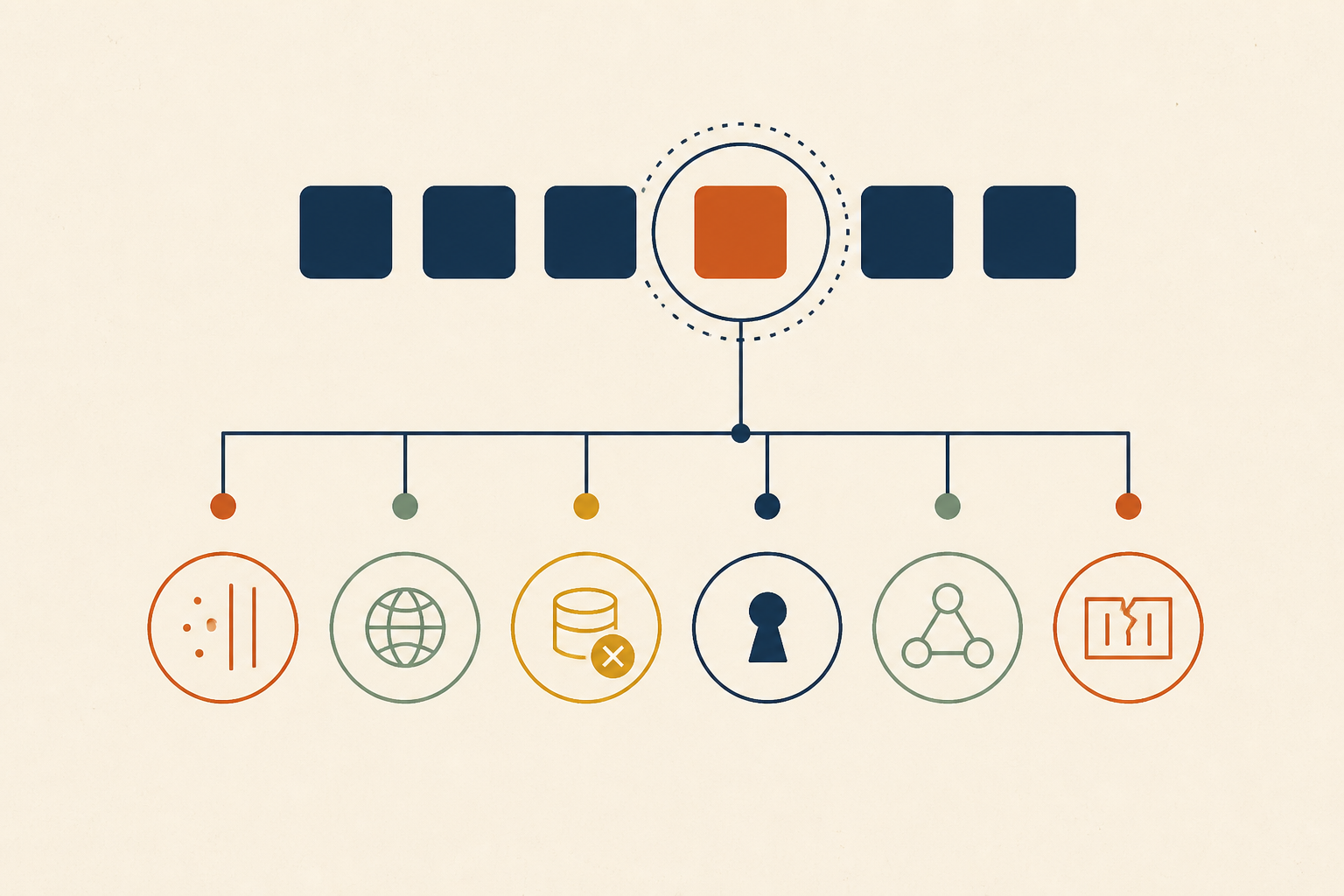
ImagePullBackOff Is Six Failures Wearing One Status: Diagnose From the Error String, Not the Checklist
TL;DR: An ImagePullBackOff status in Kubernetes means the kubelet has already failed to pull a container image and is now waiting before trying again. The status itself is just a timer; the real diagnosis is found in the specific registry error string within the pod's Events section, which distinguishes between authentication failures, rate limits, and architecture mismatches.
ImagePullBackOff is a timer, not a diagnosis
When a pod enters the ImagePullBackOff state, it is not currently failing—it is waiting. The actual failure event is called ErrImagePull. Kubernetes follows a back-off logic: after the first failure, it waits, then tries again, increasing the delay after each subsequent failure.
According to the Kubernetes documentation, the kubelet continues these attempts indefinitely, but it raises the delay between each attempt until it reaches a compiled-in limit of 300 seconds (5 minutes). At least eight distinct root causes across four different layers—from networking to registry policy—all collapse into this identical status string. To fix it, you must stop looking at the status and start looking at the emitted error.
Get the one line that matters
To find the cause, you must bypass the high-level status. Run the following command to see the raw output from the container runtime:
kubectl describe pod <POD_NAME> -n <NAMESPACE>
Scroll to the Events section at the bottom. You are looking for a Warning event where the reason is Failed and the message contains the specific error returned by the registry. For a clearer chronological view of what happened, you can also use:
kubectl get events --field-selector involvedObject.name=<POD_NAME> --sort-by=.lastTimestamp
If the logs in Kubernetes are ambiguous, you can attempt to reproduce the pull directly on the node using crictl pull <IMAGE_NAME> or by inspecting the kubelet logs with journalctl -u kubelet. The registry error text in these events is your diagnosis; everything else is a guess.
The error string table: Mapping strings to fixes
Use this table to map the verbatim string from your kubectl describe events to the actual resolution.
| String as Emitted | HTTP Status | What it Means | What it is NOT | The Confirming Command |
|---|---|---|---|---|
manifest unknown / not found |
404 | The repository exists, but the specific tag or digest does not. | Not an auth issue. | docker pull image:tag locally. |
pull access denied... may require authorization |
401/403 | The "Ambiguous Error." The repo is either missing OR private, and you lack access. | Not necessarily a typo. | Try pulling a known non-existent repo to see if the error changes. |
unauthorized: authentication required |
401 | Credentials were provided but rejected. Usually means an expired token. | Not a network issue. | Refresh your imagePullSecret (especially for ECR). |
toomanyrequests / You have reached your pull rate limit |
429 | You have hit Docker Hub or registry quotas. Common for anonymous pulls. | Not a manifest error. | Check your NAT gateway IP against Docker Hub limits. |
x509: certificate signed by unknown authority |
N/A | The node does not trust the registry's SSL certificate (Common in private registries). | Nothing to do with the image. | curl -v https://your-registry.com from the node. |
dial tcp: i/o timeout / no such host |
N/A | Egress, DNS, or Firewall issue. The node cannot reach the registry. | Not a registry error. | ping or nslookup the registry from the node. |
no match for platform in manifest |
N/A | Architecture Mismatch. You are trying to run an arm64 image on an amd64 node (or vice versa). |
Not a typo. | docker inspect the image architecture. |
ErrImageNeverPull |
N/A | imagePullPolicy: Never is set, but the image is not in the node's local cache. |
Not a registry failure. | crictl images on the node. |
Key Takeaway: Stop treating ImagePullBackOff as a generic error and start treating the registry's response string as a specific instruction for which layer of the stack to fix.
Why it is still broken after you fixed it
A common frustration for operators is fixing a typo in a manifest or updating a secret, only to find the pod still sitting in ImagePullBackOff.
This happens because the back-off timer is held per-image, per-node by the kubelet. If you are at the 5-minute cap, the kubelet will wait the full 300 seconds before noticing your fix. While many guides suggest the timer follows a 5, 10, 20-second progression, these are often implementation details that vary; the only guarantee in the official source is the 300-second ceiling.
To force a retry:
- Delete the pod:
kubectl delete pod <NAME>. This is the fastest way, as the new pod will trigger a pull attempt immediately. - Roll the workload: For deployments,
kubectl rollout restart deployment <NAME>changes the pod template hash and forces a fresh start. - Wait it out: If you have 500 pods failing due to a registry rate limit, do not delete them all at once. A synchronized "retry storm" can re-trigger the rate limit, turning a recovering incident back into a total outage.
One pod or the whole fleet
The "shape" of the failure tells you where the fault lies.
- One pod, right after a deploy: This is likely a typo in the manifest or a missing
imagePullSecret. Refer to the diagnostic table above. - Many pods, many nodes, one timestamp: This points to a registry outage, a global rate limit, or a credential rotation failure. Stop checking individual manifests and check your infrastructure providers.
- Running pods healthy, new pods failing: This is the most dangerous scenario. It means the node's local image cache was hiding a broken pull path for weeks. A scale-out event or a node replacement suddenly exposes the fact that the registry is unreachable or credentials have expired.
- Only some nodes: This often indicates a node pool with a different architecture (e.g., adding ARM nodes to an Intel cluster) or a specific subnet missing egress rules to the registry.
Common pitfalls
- Mutable Tags (
:latest): If you use thelatesttag, one node might pull "Version A" while another, failing a pull later, stays on "Version B." Your fleet is now running two different versions of the code, andImagePullBackOffis the only hint you have. - imagePullPolicy Confusion:
imagePullPolicy(Always, IfNotPresent, Never) only dictates whether a pull is attempted. It cannot fix a pull that is failing due to authentication or networking. - The 401 vs. 404 Ambiguity: According to registry security standards, many registries return a "404 Not Found" or a generic "Access Denied" even if the image exists but you aren't logged in. This prevents "registry walking" where attackers guess private image names. If you see a 404, double-check your credentials before assuming the image is gone.
Why this matters
In modern Kubernetes environments, imagepullbackoff is no longer just about typos. The rise of Docker Hub pull limits and the shift toward multi-architecture clusters (AMD/ARM) have made "Rate Limit" and "Architecture Mismatch" common production failures. Furthermore, as organizations adopt stricter security, expired registry credentials bound to rotated service accounts have become a leading cause of silent failures during scale-out events.
At Operate, we see these patterns daily. While the manual diagnostic steps above are essential, they are reactive. Operate's self-hosted platform watches for these events across your fleet, correlating a sudden burst of ImagePullBackOff statuses with recent secret rotations or node pool changes. It investigates the root cause with evidence—like the specific registry 429 response— and can draft a fix, such as updating a registry mirror configuration, as a PR for your team to review.
Sources & further reading
- According to the Kubernetes Official Documentation, the maximum back-off delay is capped at 300 seconds.
- According to Docker Hub's official usage limits, unauthenticated pulls are capped at 100 per 6 hours per IP address.
- For a similar deep-dive into pod lifecycle failures, see our guide on why CrashLoopBackOff Is a Status, Not a Diagnosis.
Frequently Asked Questions
What does ImagePullBackOff mean?
It means a pod cannot start because the kubelet failed to pull the required container image and is currently in a waiting period before trying again. The failure itself is recorded as ErrImagePull.
What is the difference between ErrImagePull and ImagePullBackOff?
ErrImagePull is the specific event of a failed pull attempt. ImagePullBackOff is the status of the pod while it waits for the next retry interval.
How is it different from CrashLoopBackOff?
ImagePullBackOff happens before the container starts (failure to get the code). CrashLoopBackOff happens after the container starts (the code itself failed or exited).
How do I force Kubernetes to retry the pull?
The most reliable way to force an immediate retry is to delete the pod using kubectl delete pod <pod-name>.
Why does my locally built image fail on minikube or kind?
Kubernetes clusters like minikube or kind cannot see the images on your host machine's Docker daemon by default. You must either push the image to a registry or use minikube image load <image-name> to move the image into the cluster's internal cache.
Why is only one node affected?
This usually happens if that specific node has a different network configuration, is in a different subnet without registry access, or is a different CPU architecture (e.g., an ARM node trying to pull an x86 image).