Canary Deployment Gates That Catch Wrong Answers, Not Errors
Canary deployment analysis gates on errors and latency, so a release that returns wrong but valid answers passes. Five correctness gates that catch it.
Quick Answer
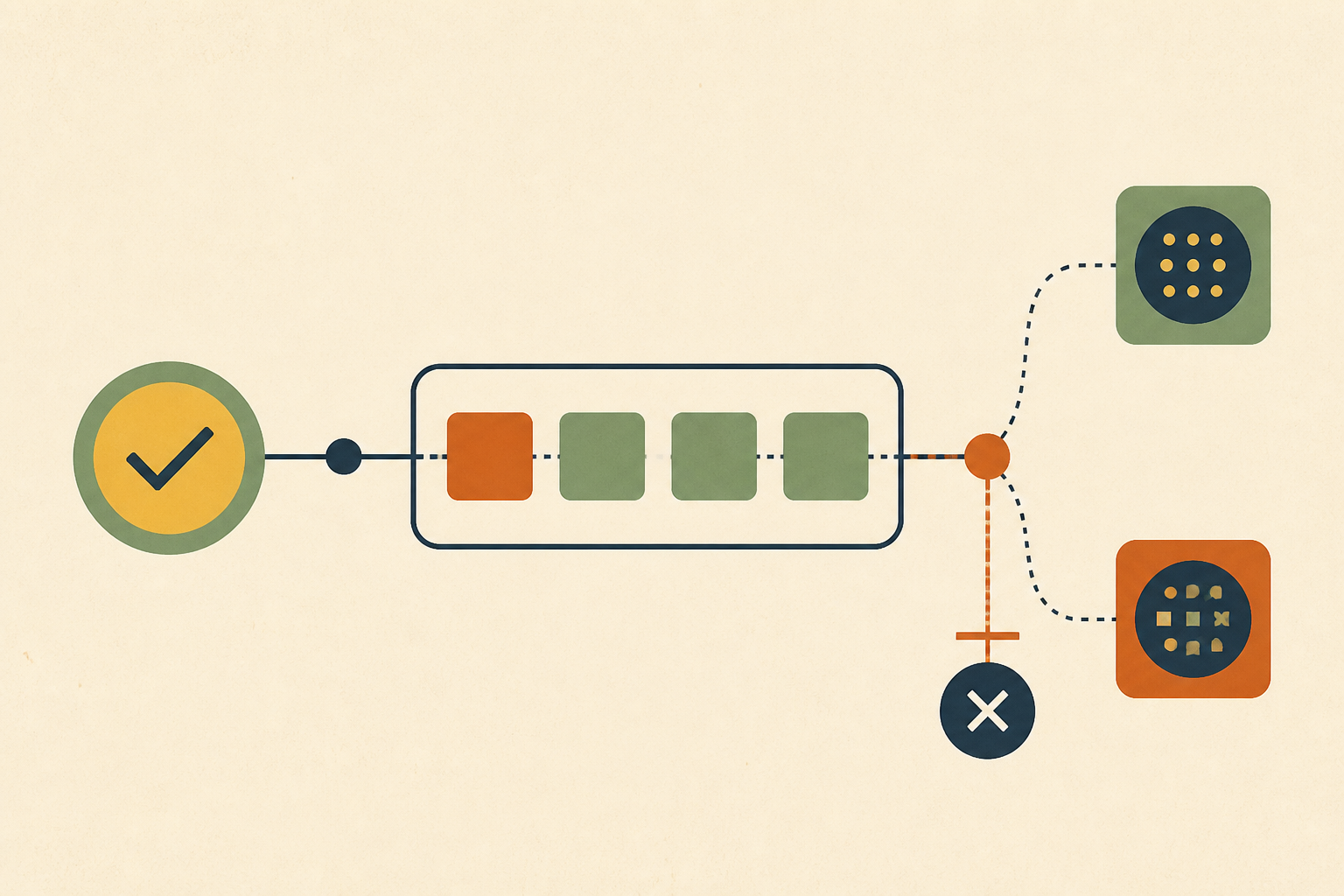
A canary deployment sends a small share of traffic to a new release and promotes it if the canary looks healthy. Most canary analysis only checks error rate and latency, so a release that returns wrong but valid responses passes every gate. Catching those takes correctness gates, such as invariants on every response, comparison against the stable version, business metrics with enough statistical power, and reconciliation of what the release wrote.
A canary deployment is a release strategy that routes a small slice of production traffic to a new version, compares it with the current version, and promotes or rolls back based on that comparison. We like it because it limits how many users a bad release can reach.
What it limits is traffic, though, not damage. A canary that only asks if the service answered will happily promote a release that answers wrongly, and a pricing or data bug at 10% of traffic can still corrupt records for hours.
In this post we cover how canary analysis decides to promote, why availability and correctness are separate questions, the change types a canary cannot see, five correctness gates ordered by cost, and when those gates are not worth building.
How a Canary Deployment Decides to Promote a Release
Progressive delivery tools promote a canary by running an analysis at each step. In Argo Rollouts that analysis is defined by an AnalysisTemplate, which the Argo Rollouts analysis docs describe as "a template spec which defines how to perform a canary analysis, such as the metrics which it should perform, its frequency, and the values which are considered successful or failed."
The metrics that ship ready to use are availability metrics. The Flagger metrics docs state that it "comes with two builtin metric checks," HTTP request success rate and request duration. Teams start there because the data already exists.
Picture a payment service that ships a new tier calculation to a 10% canary. Error rate stays flat, latency holds, pods are healthy, and the release promotes to 100% on schedule. Two days later a merchant reports that payouts are short, and we find a boundary bug in the new code. Every gate did exactly what it was configured to do.
Availability and Correctness Are Two Different Questions
We separate canary checks into two kinds. An availability gate asks if the request completed in time. A correctness gate asks if the result was the one the code should have produced.
No amount of threshold tuning turns the first into the second. To a load balancer or a service mesh, a wrong response that arrives quickly with a 200 status is a perfectly successful request, which is the same blind spot we described in failures that return 200 OK.
Google's SRE workbook makes the point in its chapter on canarying releases. After walking through the success ratio, it says "this single metric is not sufficient for a meaningful canary process," and it lists correctness among the metrics a team might evaluate. It also recommends starting from the service's SLIs, which is good advice for availability and incomplete for correctness.
Five Change Types Where a Canary Deployment Sees Nothing
For some kinds of change, a traffic-split canary with availability gates gives almost no protection. We keep this table in the release review checklist.
| Change type | What the canary sees | What can actually happen |
|---|---|---|
| Business logic and pricing | Flat error rate and 200 responses | A rounding or boundary error returns the wrong amount |
| Permissions and tenant scoping | Latency improves because queries got cheaper | A scoping bug returns another tenant's data |
| Data transformation | Requests succeed and validation passes | A narrower column or a bad mapping silently truncates values |
| Schema migrations | Healthy pods | A relaxed constraint lets bad rows in and downstream readers fail later |
| Background jobs | Nothing, because no request traffic is split | A worker stops processing or exits zero without doing its work |
Schema changes deserve their own release path, which we cover in zero-downtime database migrations. Jobs that exit zero without doing anything are a whole family of failures, catalogued in the green no-op taxonomy.
Five Correctness Gates for a Canary Deployment, Cheapest First
A correctness gate has to inspect what the release produced, not just how fast it answered. These are the gates we use, ordered by how much they cost to build and run.
1. Invariants on Every Response
We assert properties that must hold for every output rather than watching averages. A monetary field is never negative, a response always carries the tenant ID from the request, and a total always equals the sum of its lines. A violation counter per version becomes an analysis metric like any other. We start with a handful of invariants on each high-risk endpoint, because a short list that always runs beats a long one that nobody maintains.
Argo Rollouts can also run a Kubernetes Job as an analysis step, and its docs say "the metric is considered successful if the Job completes and had an exit code of zero." That makes a scripted correctness check easy to wire in, as long as the script fails loudly when the check cannot run.
2. Shadow Traffic and Response Diffing
We send a copy of live traffic to the new version and compare its answers with the stable version's. Mirroring alone is not enough. The Istio mirroring docs note that mirrored requests are "fire and forget," which means the responses are discarded, so the comparison needs its own tooling.
The diff should compare meaning, such as amounts, IDs and status fields, rather than bytes. Timestamps and request IDs differ on every call and will drown a byte-level diff in noise. Mirrored writes must also be kept away from real side effects.
3. Business Metrics With Enough Statistical Power
Completed checkouts or records written per minute catch whole classes of logic bugs. At a 5% split they are usually too noisy to judge within a short analysis window, so we either raise the split for these metrics or lengthen the bake time until the comparison means something. We compare the canary with the stable version over the same window rather than with yesterday, so time-of-day patterns cancel out instead of looking like a regression.
4. Reconciliation of What Was Written
For write-heavy services we run a separate check that compares what the canary wrote against the expected state, such as ledger totals or row counts per tenant. It is often the only gate that catches truncation or mapping bugs, because those never surface in a response.
When a reconciliation check does fire, the expensive part is tracing the bad rows back to the change that wrote them. That trace across logs, data and code is the job of automated root cause analysis, and it goes faster when the canary and stable versions are labelled in every log line.
5. Longer Bake Times Around Scheduled Work
Some bugs only appear when a nightly job runs or a rare account type logs in. Holding the canary through at least one cycle of the relevant scheduled work costs time, but it is the cheapest way to expose code paths that request traffic never touches.
When Correctness Gates Cost More Than They Save
We do not put correctness gates on every release. They take real effort to write, and a gate that fails on noise will block good deploys until someone disables it, which leaves the team with less protection than before.
- A dependency bump or a style change rarely needs more than availability gates.
- A change to pricing, permissions, data mapping or schema almost always does.
- A change with no cheap ground truth may be better served by a manual sample review than a flaky automated gate.
We decide the class of a change during code review, not under pressure in the middle of a rollout. Schema drift between environments is a related risk that a canary rarely sees, and we cover it in our schema drift guide.
Feature Flags Speed Up Rollback but Not Detection
We use feature flags heavily, and they make rolling back a bad path almost instant. They do nothing to tell us the path is bad.
If monitoring cannot see that the new code returns truncated IDs, nobody will flip the flag back. A flag is the mechanism for a fast reversal, and a correctness gate is the signal that a reversal is needed. Teams need both.
Test Your Canary Deployment Against Your Last Five Incidents
We would take the last five incidents caused by a deploy and ask of each one if the current canary analysis would have caught it. The ones it would have missed show exactly which correctness gate to build first.
A canary deployment protects users only as well as its gates read the output. When a wrong answer does slip through, Operate helps trace it. It brings the evidence from logs, databases and code together through read-only adapters, and proposes any code fix as a patch file an engineer reviews and applies.
Frequently Asked Questions
It is a release strategy that sends a small share of production traffic to a new version first. We compare the canary with the current version and promote it step by step if it looks healthy, or roll it back if it does not, which limits how many users a bad release reaches.
A router or service mesh splits traffic between the stable and new versions. At each step an analysis compares metrics for the two, and the rollout tool promotes or aborts based on the result. We add correctness checks to that analysis, because the default metrics only cover errors and latency.
We use it for services with enough request traffic to compare versions quickly and for changes whose failures show up in requests. It helps less for background jobs, schema migrations and low-traffic services, where a traffic split reveals little and other release controls do more.
We test it by replaying the incidents it should catch. Ship a deliberately broken build to a staging rollout, such as one that returns wrong amounts with a 200 status, and confirm the analysis fails it. If only crashes and slow responses fail the analysis, the gates need correctness checks.
No. Blue-green keeps two full environments and switches all traffic from one to the other at once. A canary shifts traffic gradually and compares the versions along the way. We find canaries reduce how many users a bad release reaches, while blue-green makes the switch back simpler.
About the author
Operate Team
The team behind Operate
Operate Team builds Operate, enterprise AI agents for production operations. Operate answers production questions from Slack and Microsoft Teams, investigates alerts, and reviews performance, security and cost. It finds the root cause with evidence and proposes a fix for an engineer to review, with controlled access to your systems.